Blog

  • Today Only: Beat Summer Heat With Smart Fans and Portable AC Deals Up to 40% Off

    Today Only: Beat Summer Heat With Smart Fans and Portable AC Deals Up to 40% Off

    Your room is hot, your patience is gone, and every other ad seems to promise “arctic cooling” from a plastic box the size of a lunch bag. I get it. When your home office feels sticky by 10 a.m. and your bedroom still feels warm at midnight, you do not want gimmicks. You want something that actually cools the room, does not sound like a leaf blower, and will not wreck your power bill. The good news is that some of the best portable ac and smart fan deals today are on real products from known brands, not those sketchy mini units that mostly cool your hopes. If you shop carefully, a smart fan can make a small room feel several degrees cooler, and a portable AC can target the one space where you actually spend your time. That is a lot cheaper than cranking central air all day just to cool one room.

    ⚡ In a Hurry? Key Takeaways

    • For one hot room, a portable AC is the better fix. For airflow and lower running costs, a smart fan is the better buy.
    • Check for real specs before you buy. Look at BTU, room size, noise level, and whether the unit needs draining or a window kit.
    • Skip tiny “personal air coolers” unless you only want a desk fan with a water tank. Most do not cool a room the way a true AC does.

    What is actually worth buying today?

    If you are trying to survive a heat wave without paying for a full HVAC upgrade, there are really only two categories worth your time. Smart fans and portable AC units.

    Smart fans are the cheaper entry point. They do not lower room temperature the way an air conditioner does, but they can make you feel cooler fast by moving air where you need it. Many also use less electricity than central air, especially if you only need relief in a bedroom or office.

    Portable AC units cost more up front, but they are the real answer for rooms that stay stubbornly hot. If you have west-facing windows, a top-floor bedroom, or an office full of computer gear, a portable AC can make a huge difference.

    How to tell the good deals from the fake urgency

    This is where shoppers get tripped up. “Limited-time” banners are everywhere right now, and plenty of them are not special at all. If you have been following sale season for more than five minutes, you already know the game.

    That is why broad shopping advice still matters. If you want a smarter overview of what is genuinely discounted beyond cooling gear, take a look at Skip Prime Day Hype: 7 Early Tech & Home Deals That Are Actually Worth Buying Today. It is a useful reality check before you start clicking on countdown timers.

    For cooling products specifically, ignore the flashy graphics and start with four things:

    1. BTU rating

    This matters most for portable AC units. In plain English, higher BTU usually means more cooling power. A small bedroom may be fine with a lower-capacity unit, while a larger office or sunny room needs more muscle.

    2. Room size claims

    Be careful here. Brands love optimistic numbers. If your room gets a lot of direct sun, has poor insulation, or stays warm from electronics, buy for the real-world heat, not the perfect-lab-condition number on the box.

    3. Noise level

    A loud AC can make sleeping and video calls miserable. Fans are usually quieter, but some tower models still get noisy at high speed. If “sleep mode” or a decibel rating is listed, that is a good sign.

    4. Setup and maintenance

    Portable AC units usually need a window vent kit. Some also need occasional draining, though many newer models are partly self-evaporating. Smart fans are much easier. Plug them in, connect the app if you want, and you are done.

    Best use cases for smart fans

    If your room is warm but not brutal, a smart fan can be the best value by far.

    Look for these if you want:

    • Better sleep without running AC all night
    • Airflow in a home office
    • App control or voice assistant support
    • Lower energy use than central air

    A good smart fan works especially well when paired with your existing AC. You can raise the thermostat a bit and still feel comfortable because the moving air helps sweat evaporate faster. That can shave some money off your electric bill over the course of a hot month.

    Who should buy one?

    Apartment renters, dorm dwellers, and anyone who just needs comfort at their desk or bedside. If the room is not turning into an oven, this is often the practical choice.

    When a portable AC is the better answer

    Some rooms do not need “more airflow.” They need actual cooling. That is where portable AC units earn their keep.

    You should lean portable AC if:

    • Your bedroom never cools down at night
    • Your office gets hit with direct afternoon sun
    • You cannot adjust central air room by room
    • You need relief in one space, not the whole house

    This is the key money-saving angle. Running a portable AC in the room you use most can be cheaper than blasting whole-home air conditioning from morning to bedtime. It is not magic, and it is not free to run, but zone cooling is often the smarter move.

    Who should skip one?

    If you are hoping for whisper-quiet operation or you do not have a workable window for venting, a portable AC may frustrate you. They cool well, but they are still compressor-based machines. That means some noise and some setup.

    What not to buy

    This part is easy. Be very skeptical of “mini air conditioners” that use water or ice packs and promise to cool an entire room.

    Most of those are evaporative coolers or personal coolers. They can feel nice pointed right at your face. They are not replacements for a real air conditioner. In humid climates, they are often even less useful.

    If the product photos look like a toy, the specs are vague, and the ad keeps talking about “instant polar air” without listing real BTU or room-size details, move on.

    How to shop today without overpaying

    If you are scanning the best portable ac and smart fan deals today, use this simple checklist:

    • Buy a smart fan if your goal is comfort, airflow, and lower power use.
    • Buy a portable AC if your goal is actual room cooling.
    • Check the return policy, especially for portable AC units.
    • Make sure the included window kit fits your space.
    • Read recent reviews for noise and setup complaints, not just star ratings.

    The other smart move is to buy for the room you actually use, not the whole house fantasy. Cooling your office during work hours or your bedroom at night is often enough to make summer feel manageable.

    At a Glance: Comparison

    Feature/Aspect Details Verdict
    Cooling power Portable AC lowers room temperature. Smart fan improves comfort by moving air. Portable AC wins for true heat relief.
    Energy use and cost Smart fans usually cost less to buy and less to run than portable AC units or central air. Smart fan is the value pick for mild to moderate heat.
    Setup and everyday use Fans are plug-and-play. Portable AC units need venting, more floor space, and may be noisier. Smart fan is easier. Portable AC is worth it for tough rooms.

    Conclusion

    If you are tired of fake urgency and mystery cooling gadgets, keep it simple. A smart fan is the smart buy for airflow, comfort, and lower running costs. A portable AC is the right buy for rooms that are genuinely too hot to function in. That is the real value in a focused list of the best portable ac and smart fan deals today. You save time, skip the scammy impulse buys, and get something that helps right now. With early Prime Day hype in full swing, that kind of clarity matters. The right cooling pick can lower your electric bill compared to running central air all day, help you work without sweating through the afternoon, and make sleep possible when the next heat spike hits.

  • Today Only: Turn Any Room Into a Quiet Focus Zone With Up to 50% Off Noise‑Canceling Headphones and Smart Speakers

    Today Only: Turn Any Room Into a Quiet Focus Zone With Up to 50% Off Noise‑Canceling Headphones and Smart Speakers

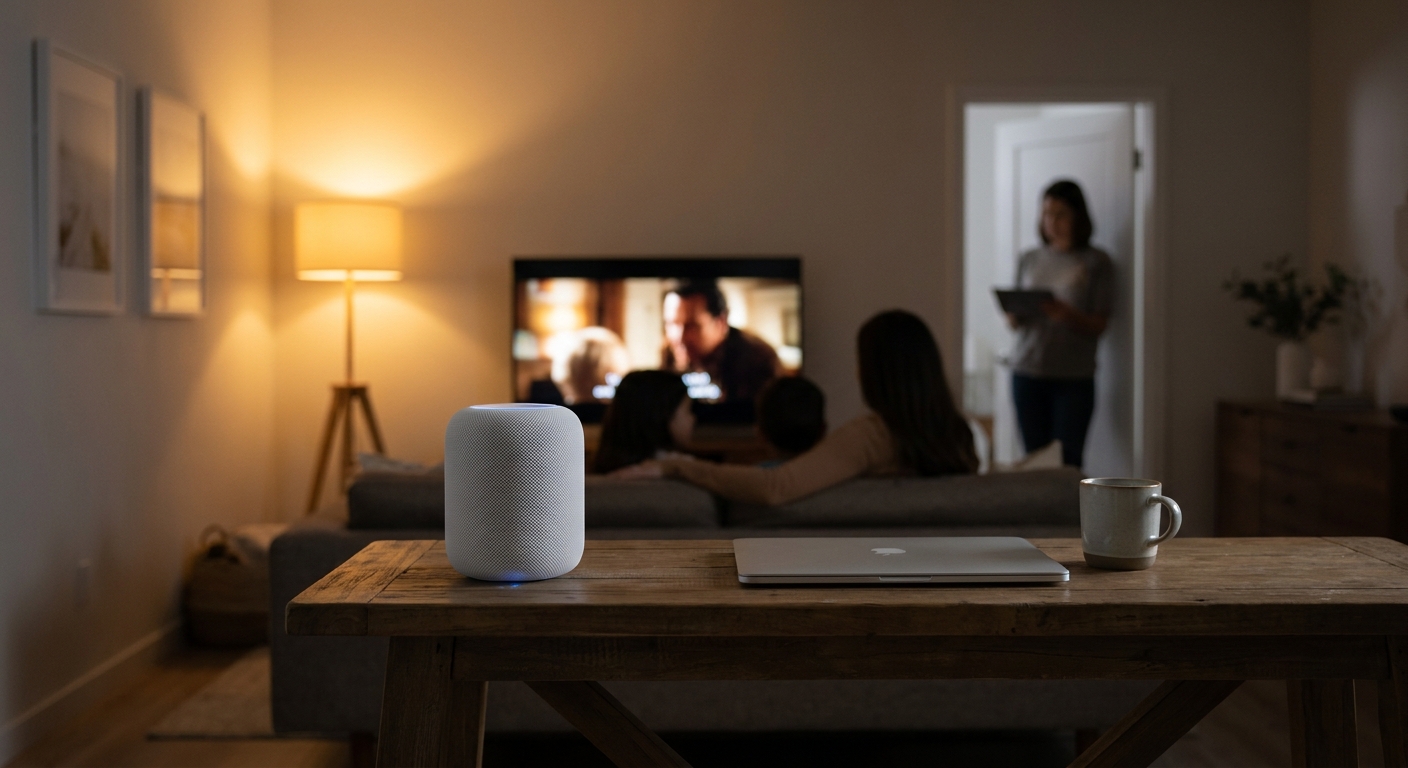
    If you share walls, rooms, or your whole day with other people, quiet can feel like a luxury item. One person has the TV on. Someone else is on a gaming headset shouting callouts. The kids are locked into their third straight YouTube marathon. Meanwhile, you are trying to take a work call, read, study, or just hear your own thoughts for ten minutes. That is why the best noise cancelling headphone and smart speaker deals today matter more than the usual sale-page clutter. A good pair of headphones can carve out instant calm. A smart speaker can help set a softer, more organized sound environment across your home without spending a fortune. The trick is skipping the junk. Today’s early Prime Day wave has plenty of cheap distractions, but there are also a few genuinely worthwhile buys if you know what features actually make daily life easier, and which low prices are worth jumping on before midnight.

    ⚡ In a Hurry? Key Takeaways

    • The best value today is in midrange noise-canceling headphones under about $200 and smart speakers under about $100, not the ultra-cheap stuff.
    • Look for multipoint Bluetooth, strong call mic quality, easy app controls, and room-grouping support before you buy.
    • If a deal looks huge but the model is old, missing app support, or has weak battery life, skip it. A low price is not always a good value.

    Why these deals matter more than most sale-day gadgets

    A lot of Prime Day shopping is impulse shopping. You go in for batteries and come out with a countertop gadget you did not need. Audio is different. The right headphones or speaker can change how your home feels tonight.

    That matters if you work remotely, live in a small apartment, or share space with family or roommates. This is not just about better sound. It is about reducing friction. Good noise canceling cuts the edge off background chatter, low rumbles, and TV noise. A well-chosen smart speaker can handle timers, music, routines, white noise, and room-to-room playback without turning your home into a tech project.

    What to buy first: headphones or a smart speaker?

    Choose headphones if your problem is immediate noise

    If you need focus now, start with noise-canceling headphones. They are the fastest fix. Put them on, and the room changes. For remote workers, students, and anyone taking calls at home, they usually make a bigger difference than any speaker can.

    The sweet spot today is often between $99 and $199. That is where you find solid active noise canceling, long battery life, decent comfort, and call quality good enough for Zoom without paying top-tier flagship prices.

    Choose a smart speaker if your problem is household sound control

    If your home feels chaotic, a smart speaker can help more than you might think. It will not cancel noise in the same way headphones do, but it can replace harsher sound with better sound. Think calm background music, a white-noise routine at bedtime, or synced audio across rooms so people are not each blasting different devices.

    For most homes, the best value is under $100. Above that, you are usually paying for stronger bass, larger drivers, or fancier displays, not necessarily a better everyday experience.

    The features that actually matter in real life

    Multipoint Bluetooth

    This is one of the most useful features people forget to check. Multipoint lets your headphones stay connected to two devices at once, like your laptop and your phone. That means you can listen to music on your computer, then take a call on your phone without digging through Bluetooth settings. If you work from home, this is a big quality-of-life upgrade.

    Good microphone performance

    Many headphones sound fine in your ears but make you sound distant or hollow on calls. If you are buying for work, classes, or long chats, mic quality matters almost as much as noise canceling. Look for models that specifically mention voice isolation or beamforming mics.

    App control that is not annoying

    A decent app lets you adjust noise canceling levels, change EQ, update firmware, and customize button actions. That sounds minor until you own a pair with bad defaults and no way to fix them. For smart speakers, the app should make setup simple and let you group rooms without making you want to throw your phone across the room.

    Alexa or Google room-grouping

    If you are buying more than one smart speaker, room-grouping is important. It lets you play the same music in the kitchen, bedroom, and living room at once. That is handy for cleaning, cooking, hosting people, or simply making your home feel more connected and less noisy in a random way.

    Comfort and battery life

    Noise canceling only helps if you can stand wearing the headphones for more than 20 minutes. Lightweight designs, soft earcups, and at least 25 to 30 hours of battery life are worth paying for. If a deal is cheap but the headphones clamp too hard or die halfway through your day, it is not a bargain.

    Best price targets to use today

    Noise-canceling headphones under $100

    This is the budget zone. You can find surprisingly decent pairs here, especially during sale events. Expect good enough noise canceling for fans, HVAC hum, and some TV noise, but not miracle-level silence. This is a great range for students, commuters, and casual home office use.

    Noise-canceling headphones under $200

    This is the value sweet spot for most readers. Here is where the best noise cancelling headphone and smart speaker deals today really start to shine. You often get better comfort, cleaner sound, stronger ANC, better apps, and multipoint Bluetooth. If you can stretch your budget, this is usually the smartest buy.

    Smart speakers under $50

    Perfect for a bedroom, kitchen, or desk. At this price, expect compact sound and basic smart assistant features. They are great for timers, podcasts, white noise, and light music listening.

    Smart speakers under $100

    This is the better long-term buy if you care about music. You usually get fuller sound, better voice pickup, and stronger app features. For shared homes, this range gives you enough quality that people will actually use the speaker instead of defaulting back to their phones.

    How to spot a fake-good deal

    Sale pages are full of giant percentage cuts that look impressive until you read the fine print. A few warning signs:

    • Very old models with limited software support
    • No-name brands with thousands of suspiciously perfect reviews
    • Headphones that claim ANC but do not explain how well it works
    • Smart speakers that depend on clunky apps or weak Wi-Fi setup
    • Huge discounts off an inflated list price that nobody actually pays

    If you see a familiar, well-reviewed brand hitting a reasonable price cap, that is usually safer than chasing the deepest percentage cut.

    Simple buying advice based on your home

    For remote workers

    Buy headphones first. Prioritize multipoint Bluetooth, strong mic quality, and all-day comfort. Smart speakers are nice, but they will not help much when the neighbor starts mowing the lawn during your meeting.

    For parents

    A small smart speaker in a common area plus good headphones for yourself can be the best mix. The speaker can handle routines, bedtime sounds, and shared music. The headphones give you an escape hatch when the house gets loud.

    For apartment dwellers

    Focus on headphones with effective ANC and a compact smart speaker that sounds good at low volume. You want control, not more noise. Better sound at lower levels is often more useful than sheer loudness.

    For roommates

    Think in zones. One pair of headphones for focused work. One smart speaker in a shared space for controlled music instead of multiple phone speakers fighting each other. It sounds small, but it can cut down on a lot of daily irritation.

    My practical shortlist philosophy for today

    If I were helping a friend shop tonight, I would keep it simple.

    For headphones, I would only consider models under $200 that include active noise canceling, at least 25 hours of battery life, app support, and multipoint if possible. If a pair misses two of those four, I would move on.

    For smart speakers, I would only consider devices under $100 with solid voice assistant support, reliable app control, and easy room grouping. Good sound matters, but ease of use matters more in a busy home.

    That is the real filter that helps you find the best noise cancelling headphone and smart speaker deals today without wasting an hour opening 37 sale tabs.

    At a Glance: Comparison

    Feature/Aspect Details Verdict
    Best first buy Noise-canceling headphones help most if your main issue is TV noise, roommates, or work calls. Start here for instant focus.
    Best value range Headphones under $200 and smart speakers under $100 tend to offer the strongest mix of features and price. This is the sweet spot today.
    Must-have features Multipoint Bluetooth, good call mics, room-grouping, and reliable app control are the features that matter most day to day. Do not buy on discount alone.

    Conclusion

    If your home has been feeling louder, busier, and harder to manage lately, this is one of those rare sale categories that can actually help. Today’s early Prime Day push is heavy on cheap impulse buys, but buried in the noise are a few genuinely strong noise-canceling headphone and smart speaker deals that can upgrade how your entire home feels in a single night. By focusing on the best-value options under sensible price caps, and by paying attention to the features that matter in daily life like multipoint Bluetooth, solid mics for calls, room-grouping via Alexa or Google, and robust app control, you can skip the endless scrolling and buy something that really improves your day. If you have been waiting to build a calmer, more focused setup, tonight is a good night to do it before prices jump at midnight.

  • Today Only: Kill Dead Wi‑Fi Zones With Early Prime Day Mesh Router Deals Under $250

    Today Only: Kill Dead Wi‑Fi Zones With Early Prime Day Mesh Router Deals Under $250

    Few things are more annoying than paying for fast internet and still watching Netflix buffer in the bedroom, hearing your Zoom call crackle in the basement, or losing signal the second you step into the backyard. If that sounds familiar, your old router is probably the problem, not your internet plan. Early Prime Day is quietly one of the smartest times to fix it. Right now, some of the best early Prime Day mesh WiFi deals today are dropping solid Wi‑Fi 6 and even Wi‑Fi 6E systems under $250, which is a price range that used to get you a pretty basic setup. Mesh systems are made for real homes with walls, floors, kids streaming, game consoles, smart TVs, and too many devices fighting for the same signal. The good news is you do not need to spend a fortune or become your household’s unpaid network engineer to finally get reliable Wi‑Fi everywhere.

    ⚡ In a Hurry? Key Takeaways

    • Today’s best early Prime Day mesh WiFi deals make it possible to get a strong whole-home system for under $250.
    • Buy based on your home size, internet speed, and how many devices you use, not just the biggest discount tag.
    • Stick with Wi‑Fi 6 or 6E from known brands, and avoid overbuying features you will never use.

    Why mesh Wi‑Fi matters more than a cheap single router

    A single router works fine in a small apartment. It struggles in a two-story house, a long ranch home, or anywhere with thick walls and awkward room layouts. That is where mesh comes in.

    Instead of one lonely box trying to blast signal everywhere, a mesh kit uses a main router plus one or two satellite units placed around your home. They work together like a team, spreading coverage more evenly.

    The result is simple. Fewer dead spots. Better streaming. Fewer random disconnects during work calls.

    What makes these early Prime Day deals worth your attention

    Prime Day is famous for giant lists of random gadgets. Networking gear usually gets buried in the mix. But this early sale window is often better for practical upgrades because you can shop before the rush, compare prices calmly, and avoid panic-buying whatever is still in stock on the main event days.

    For shoppers hunting the best early Prime Day mesh WiFi deals today, the sweet spot is under $250. That is enough to get a two-pack or three-pack mesh kit from a trusted brand, often with Wi‑Fi 6 and decent app-based setup.

    That matters because Wi‑Fi 6 is not just a buzzword. It helps when your house has a lot of connected stuff at once. Phones, tablets, TVs, cameras, speakers, laptops, game consoles. Modern homes are crowded.

    What to look for before you click Buy Now

    1. Coverage that matches your home

    Do not assume bigger numbers are always better, but do pay attention to the listed square footage. A two-pack is often enough for apartments, condos, and smaller homes. A three-pack usually makes more sense for larger homes or places with a basement and backyard coverage needs.

    2. Wi‑Fi 6 vs. Wi‑Fi 6E

    Wi‑Fi 6 is the practical pick for most people. It is fast, more affordable, and works well with lots of modern devices. Wi‑Fi 6E adds access to the 6GHz band, which can mean less congestion and better speeds for newer phones and laptops. It is nice to have, but only worth stretching for if the deal is close enough in price.

    3. Ethernet ports

    If you have a gaming console, desktop PC, or smart TV near a mesh node, extra Ethernet ports are useful. Some cheaper kits skimp here.

    4. Subscription traps

    Some mesh brands include security tools or parental controls, then lock the better features behind a monthly plan. That is not always a dealbreaker, but it is worth checking before you buy.

    The strongest types of deals under $250

    You do not need a giant list of 25 routers. Most shoppers should focus on a few practical categories.

    Best for most homes

    Look for a two-pack or three-pack Wi‑Fi 6 system from TP-Link Deco, eero, or ASUS ZenWiFi. If the price falls under $200, that is usually where value gets very strong for average households.

    Best for faster internet plans

    If you pay for gigabit internet, look for mesh systems with gigabit WAN/LAN ports and enough backhaul performance to keep up. A flashy sale is not much help if the system becomes the bottleneck.

    Best budget-friendly upgrade

    If your current router is three to five years old and constantly drops signal, even a basic name-brand mesh kit around $130 to $180 can feel like a huge improvement.

    Best if you want a little future-proofing

    If a Wi‑Fi 6E mesh system sneaks under $250, that is the kind of deal worth a close look. You may not need 6E today, but at the right price it can be a smart step up.

    How to avoid overpaying for “premium” networking gear

    This is where people get burned. Router listings love dramatic claims about extreme speeds, gaming power, and coverage for mansions. Most homes do not need that.

    If your internet plan is 300Mbps to 500Mbps, and your main problem is dead zones, spending $450 on a premium setup is often unnecessary. A good mesh system under $250 can solve the actual problem just fine.

    Also, remember this. Internet speed and Wi‑Fi coverage are not the same thing. You can have a fast plan and still have lousy Wi‑Fi if your router placement or hardware is bad.

    Who should buy today, and who can skip it

    Buy today if:

    Your video calls drop in certain rooms. Your smart TV buffers far from the router. Your family complains about weak signal upstairs or outside. Your current router is older and cannot handle a busy home.

    Skip for now if:

    You live in a small apartment, your current signal is strong everywhere, and your router is already fairly new. In that case, a mesh system might not change much.

    Simple setup advice once it arrives

    Mesh systems are easier to set up than they used to be. Most use an app that walks you through everything.

    A few tips help:

    • Put the main router in an open, central spot if possible.
    • Do not hide nodes inside cabinets or behind TVs.
    • Place the second or third node halfway toward the weak area, not inside the dead zone itself.
    • Use the same network name for the whole system unless you have a specific reason not to.

    Those small placement changes often matter as much as the hardware itself.

    At a Glance: Comparison

    Feature/Aspect Details Verdict
    Best value tier Wi‑Fi 6 mesh kits under $200 often hit the sweet spot for average homes. Best pick for most readers.
    Premium upgrade tier Wi‑Fi 6E systems under $250 are less common but can be great if you have newer devices. Worth it only if the sale price is close.
    Biggest buying mistake Paying extra for oversized specs instead of solving dead zones and coverage issues. Match the system to your actual home and internet plan.

    Conclusion

    If your home Wi‑Fi keeps failing exactly where you need it most, this is a good moment to fix it without overspending. Early Prime Day has quietly turned into the best moment of the year to fix awful home Wi‑Fi, with serious discounts on Wi‑Fi 6 and 6E mesh systems that usually cost a fortune. Focusing on just a few of today’s strongest deals can help you skip the junk, stop overpaying for random networking gear, and finally wipe out those dead zones for streaming, gaming, and Zoom. If a solid name-brand mesh kit is sitting under $250 today, that is the kind of practical upgrade you will notice every single day.

  • Today Only: Brew Café-Level Coffee at Home With Up to 40% Off Smart Coffee Makers

    Today Only: Brew Café-Level Coffee at Home With Up to 40% Off Smart Coffee Makers

    You know the feeling. You want better coffee at home, but every sale page looks the same, every brand claims “barista quality,” and somehow a simple morning cup starts to feel like a research project. Meanwhile, the pod machine keeps serving brown disappointment, and that daily café stop keeps quietly eating your budget. That is why today’s coffee maker discounts are worth a close look. The best coffee maker deals today are landing on the machines people actually want right now. Think SCA-style drip brewers that hit the right brewing temperature, compact espresso machines that do not hog the counter, and single-serve brewers that make coffee you would actually choose to drink. If you were waiting for a real excuse to upgrade, this is it. The trick is ignoring fake markdowns and focusing on features that matter, not marketing fluff.

    ⚡ In a Hurry? Key Takeaways

    • The best coffee maker deals today are on quality drip brewers, compact espresso machines, and improved single-serve models, with discounts reaching about 40%.
    • Buy based on how you actually make coffee each morning. Fast pot, one-cup convenience, or espresso drinks. That choice matters more than brand hype.
    • Watch for fake discounts. Check whether the sale price is truly lower than the usual street price, and do not overpay for features you will never use.

    Why coffee makers are one of the few deal categories worth jumping on today

    Coffee gear is having a real moment in the deal cycle. Not the fake kind where a store marks something up on Monday and “slashes” it on Tuesday. Actual good machines are seeing real cuts because retailers know shoppers are browsing early Prime-style promotions and home upgrades at the same time.

    That makes this a smart category to focus on. A better brewer can save you money fast. Skip even a few café runs a week, and the math starts working in your favor almost immediately.

    The bigger win is quality. A good machine fixes the two most common home coffee problems. Water that never gets hot enough, and brewing that is either too weak or too harsh.

    How to shop the best coffee maker deals today without getting fooled

    1. Start with your real coffee habit

    Ignore the dream version of you for a minute. Buy for the person who is half-awake at 6:45 a.m.

    If you make several cups a day or share coffee with someone else, a quality drip machine is usually the best value. If you want lattes and cappuccinos, a compact espresso machine makes sense. If you just need one quick cup before work, a single-serve brewer may be the better fit.

    2. Check the normal selling price, not just the listed discount

    A “40% off” tag looks great until you realize the product has been sitting near that price for weeks. The best sign of a real deal is when a respected model drops below its common everyday price, not just below an inflated list price.

    This is the same kind of shopping trap people hit with other home gadgets. If you are also trying to stretch your budget elsewhere, our guide to Today Only: Slash Your Power Bill With Early Prime Day Deals on Energy-Saving Tech Under $100 is worth a look too.

    3. Pay attention to the boring features

    Boring features make better coffee. Water temperature control. A decent showerhead design. A thermal carafe instead of a hot plate that cooks the coffee for an hour. Easy cleaning. A removable water tank. Those things matter more than a shiny touchscreen.

    Which type of coffee maker is the best buy right now?

    SCA-style drip brewers

    If you want the safest pick for most households, start here. These brewers aim for the proper temperature range and even water distribution, which is why they tend to make fuller, cleaner coffee than bargain machines.

    They are especially good buys during deal events because higher-end drip makers often get meaningful discounts. When they do, they become much easier to recommend than a cheap machine you may replace next year.

    Compact espresso machines

    These are great for people who are done paying coffee-shop prices for milk drinks. You do not need a giant prosumer setup to get something satisfying at home. Many smaller machines now offer better pressure, simpler controls, and a footprint that will not take over your kitchen.

    Just be honest about effort. Espresso is more hands-on than drip coffee. If you love the ritual, great. If not, you may use it heavily for two weeks and then go back to diner coffee in a paper cup.

    Single-serve brewers

    Yes, some are finally getting better. The good ones brew hotter, handle reusable filters more gracefully, and produce a cup that does not taste like break-room sadness. If convenience is your top priority, this category can make sense, especially when discounted.

    The downside is long-term cost. Pods add up. If your budget is tight, a drip machine with ground coffee is usually cheaper over time.

    What features are worth paying for, and what can you skip?

    Worth it

    Thermal carafe. Programmable brew timer. Strong reputation for consistent temperature. Easy-to-clean parts. Built-in grinder only if you know you will use it.

    Usually skippable

    Huge touchscreens. Overcomplicated drink presets. App control for a machine sitting three feet away from you. Fancy branding without proof of better brewing.

    Smart features are fine, but they should not be the reason you buy. Better coffee still comes from water temperature, brew time, and decent beans.

    Red flags that a deal is not really a deal

    If the product page is heavy on lifestyle photos and light on actual brewing details, slow down. If the machine has a mountain of five-star reviews but very little mention of taste, heat, or reliability, be careful. If replacement filters, pods, or accessories are unusually expensive, factor that into the total cost.

    Also watch return policies. A coffee maker is one of those items that seems easy to buy until it leaks, drips badly, or makes coffee that tastes flat. A good return window gives you room to test it in real life.

    Best buying strategy if you are shopping before midnight

    Keep it simple. Pick your category first. Set a hard budget second. Then compare two or three machines max. That is enough.

    If you have been living with watery pod coffee and you want the biggest quality jump for the money, go with a well-reviewed drip brewer on sale. If café drinks are your weakness and you are serious about making them at home, grab a compact espresso machine while the discounts are strong. If speed matters most, choose a single-serve brewer with good temperature performance and reusable filter support.

    The mistake is trying to solve every coffee problem with one magical machine. Most people do better by choosing the machine that fits their real morning routine, not their fantasy weekend routine.

    At a Glance: Comparison

    Feature/Aspect Details Verdict
    Best overall value SCA-style drip brewers offer the best mix of flavor, batch size, and long-term savings. Best pick for most households
    Best for café-style drinks Compact espresso machines can replace pricey latte runs if you will actually use them often. Worth it for espresso fans
    Best for speed and convenience Modern single-serve makers are improving in taste, but pod costs still add up over time. Good for quick solo drinkers

    Conclusion

    Today’s coffee deals are one of those rare shopping windows where acting fast can actually make sense. Hot coffee gear is leading the day’s tech and home discounts, with serious cuts on better drip brewers, compact espresso machines, and single-serve models that do not taste like office coffee. If you are balancing summer spending and early Prime-style promos, getting a truly discounted brewer today can start saving you money on café trips right away. More important, you may finally enjoy your first cup at home instead of settling for it. Focus on this one category, choose the machine that fits your mornings, and you can skip the overhyped junk before the clock hits midnight.

  • Today Only: Turn Your Old TV Into a Smart 4K Entertainment Hub for Under $30

    Today Only: Turn Your Old TV Into a Smart 4K Entertainment Hub for Under $30

    Your TV might be fine. It’s the software that’s making you miserable. If Netflix takes forever to open, the home screen stutters, or you keep dragging a laptop to the couch just to watch something in 4K, I get the annoyance. Nobody wants to spend hundreds replacing a screen that still looks good. The good news is you do not have to. The best 4K streaming stick deal today is an under-$30 option that can make an older TV feel fast again tonight. Add a cheap HDMI switch if your ports are full, and you can clean up the whole setup in one shot. This is one of those rare sale days where the low prices are actually useful, not just flashy. A solid 4K stick, a discounted HDMI switch, and even some compact audio gear are all dropping at the same time. That means less buffering, fewer cable swaps, and no need to wrestle with a clunky built-in smart TV menu anymore.

    ⚡ In a Hurry? Key Takeaways

    • The best 4K streaming stick deal today is a name-brand 4K stick under $30, which is enough to upgrade most older TVs without buying a new set.
    • If you are out of HDMI ports, grab a discounted HDMI switch at the same time so you can keep your stick, game console, and sound gear connected.
    • Stick to well-known models and real price drops. Today’s sale mix is useful because it fixes speed, cable clutter, and streaming headaches for less.

    Why this deal matters more than a new TV

    A lot of people assume a slow streaming experience means the whole TV is old. That is often not true.

    The panel, meaning the actual screen, can still look great. The weak link is usually the built-in smart TV system. Those menus age badly. Apps get heavier. Updates slow everything down. Then you are stuck waiting for basic things like Hulu or YouTube to load.

    A good 4K streaming stick skips all that. You plug it into HDMI, connect Wi-Fi, sign in, and use the stick’s faster interface instead of the TV’s sluggish one.

    That is why the best 4K streaming stick deal today stands out. For under $30, you are not buying a toy. You are buying a shortcut around the part of your TV that is driving you crazy.

    What to look for in an under-$30 4K streaming stick

    Fast menus and app loading

    The first thing you notice with a decent 4K stick is speed. Menus respond quickly. Apps open faster. You spend less time staring at spinning circles.

    4K support that is actually useful

    If your TV is 4K, a streaming stick should match it. Even if your current smart TV claims it already supports 4K apps, a newer stick often handles playback more smoothly.

    Simple remote control

    The good ones let you control power and volume, so you do not end up juggling three remotes just to watch one show.

    App support

    Make sure it covers the services you really use. Netflix, Prime Video, Disney+, Max, YouTube, and live TV apps should all be easy to find and run.

    The forgotten hero here is the HDMI switch

    This is the part many people skip, and then regret later.

    If your TV only has one or two open HDMI ports, adding a streaming stick can turn into a constant game of unplugging things. One night it is the game console. Next night it is the soundbar or Blu-ray player.

    A discounted HDMI switch fixes that mess. It gives you extra ports and lets you swap between devices without crawling behind the TV.

    For a small add-on cost, it solves a very real living-room headache. Honestly, if your setup already feels crowded, this might save you more frustration than the streaming stick itself.

    How this can replace a more expensive upgrade

    If you were close to buying a new TV just because your current one feels outdated, pause for a second.

    A sub-$30 4K stick plus an HDMI switch can refresh the whole experience for a fraction of the cost. And if you want to go one step further, compact soundbars are also seeing nice sale cuts right now. That means you can improve speed, reduce cable clutter, and get better sound in one evening without blowing the budget.

    If your main goal is also lowering the monthly bill, it is worth checking Today Only: Cut Your Streaming + Cable Bill With Up To 50% Off 4K Streaming Devices. It fits nicely with this upgrade path because a better streaming setup makes it much easier to finally stop paying for channels you never watch.

    Quick buying tips so you do not waste money

    Do not overbuy

    If your goal is simple 4K streaming, you probably do not need the most expensive box on the shelf. Today’s under-$30 stick is the sweet spot for most people.

    Check your Wi-Fi before blaming the stick

    If streaming always buffers, your internet may be part of the problem. A better device helps, but it cannot fix a weak signal across the house.

    Make sure your TV has HDMI and available power

    Most do. Still, it is worth checking before you order.

    Buy from a trusted retailer

    One-day sales bring out plenty of fake list prices and sketchy third-party listings. Stick with well-known sellers and products with a strong review history.

    Who should jump on this today

    This deal is a smart move if:

    • Your current smart TV freezes or feels painfully slow
    • You watch movies on a laptop because the TV experience is so bad
    • You need more HDMI ports for a console, stick, or sound gear
    • You want a cleaner setup without paying new-TV money

    If that sounds like your living room, this is one of those easy wins. Not glamorous. Just useful.

    At a Glance: Comparison

    Feature/Aspect Details Verdict
    Under-$30 4K streaming stick Adds fast app access, smoother menus, and modern streaming support to an older TV Best value buy today for most households
    Discounted HDMI switch Expands limited HDMI ports and cuts down on cable swapping Small purchase, big convenience
    Buying a new TV Much more expensive, often unnecessary if the screen itself still looks good Skip it unless your current panel has real picture problems

    Conclusion

    If your TV still has a good picture but the experience around it feels slow, clunky, and annoying, today is a great day to fix that cheaply. Early Prime Day and competitor sales have created a perfect storm of one-day price drops on 4K streaming sticks, compact soundbars, and HDMI switches that solve real living-room problems. The best part is that the best 4K streaming stick deal today lands under $30, which is exactly the kind of upgrade that makes sense. Pair it with a heavily discounted HDMI switch, and you can upgrade your setup tonight without overspending or getting lost in fake deals. Sometimes the smartest tech purchase is not the flashy one. It is the one that makes your couch time easier by bedtime.

  • Today Only: Slash Your Power Bill With Early Prime Day Deals on Energy-Saving Tech Under $100

    Today Only: Slash Your Power Bill With Early Prime Day Deals on Energy-Saving Tech Under $100

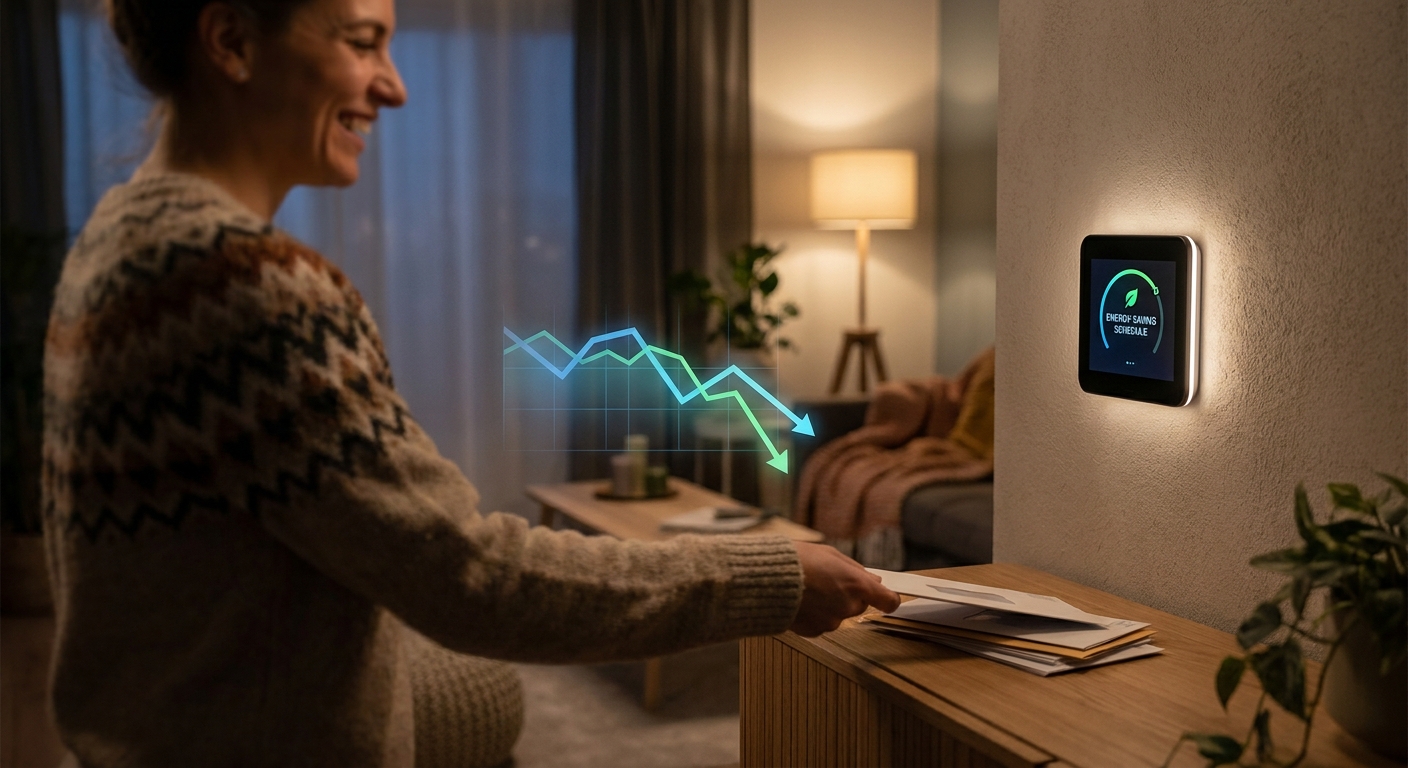
    You are not imagining it. Early Prime Day deal pages are packed with flashy stuff, but very few listings tell you whether a gadget will actually trim your electric bill. That is the annoying part. You can lose half an hour clicking through “limited-time” offers and still come away with nothing but confusion. If your summer cooling costs are already creeping up, that kind of shopping noise is the last thing you need. The good news is that some of the best early prime day energy saving tech deals today are not big-ticket items at all. They are the boring little upgrades that quietly save money every month. Think smart plugs that kill waste, LED bulbs that sip power, Wi-Fi thermostats that stop overcooling your house, and outdoor smart strips that keep patio gear from drawing power all night. If you stay under $100 and buy with a purpose, these deals can start paying you back faster than a trendy gadget ever will.

    ⚡ In a Hurry? Key Takeaways

    • Smart plugs, LED bulbs, and select Wi-Fi thermostats under $100 are the strongest early sale buys if your goal is lowering your power bill, not just buying new tech.
    • Start with the devices you use every day or forget to turn off, like lamps, fans, window AC units, coffee makers, and outdoor string lights.
    • Check watt and amp ratings before buying, especially for heaters, AC units, and outdoor gear. A cheap smart plug is not a good deal if it is not rated for the load.

    What actually saves money, and what just looks like a deal

    Here is the simple rule I use. If a gadget reduces wasted runtime, lowers power draw, or helps you control cooling better, it is worth a look. If it is just “smart” for the sake of being smart, skip it.

    That means the real standouts in today’s sale pile are pretty practical. Smart plugs can shut off energy vampires and set schedules. LED bulbs use far less power than old incandescent bulbs. Wi-Fi thermostats can help stop your air conditioner from running longer than needed. Outdoor smart power strips are handy for patio lights, fountains, bug zappers, and decorations that often stay on longer than anyone intended.

    If you want a broader roundup of practical sale picks, One-Day Power-Up: 7 Early Prime Day Tech + Home Deals That Actually Slash Your Bills is a useful companion read. It cuts through a lot of the same sale chaos.

    The best sub-$100 categories to watch today

    1. Smart plugs, the easiest place to start

    If you buy only one thing, make it a smart plug or a two-pack. They are usually the fastest, cheapest way to cut waste.

    Good uses include lamps, box fans, coffee makers, dehumidifiers, routers on guest schedules, holiday lights, and entertainment setups that stay in standby mode. Some models also track energy use, which is a nice bonus if you want proof that the gadget is earning its keep.

    Look for features like scheduling, away mode, voice assistant support if you care about that, and energy monitoring. For bill savings, scheduling matters most. You want gear to turn off automatically when nobody needs it.

    Typical sale sweet spot: $10 to $30.

    2. LED bulb multipacks, boring but effective

    LED bulbs are not exciting. They are also one of the safest bets in the whole sale event.

    If you still have older bulbs in high-use rooms, replacing them can cut electricity use right away. Focus on the places where lights stay on the longest. Kitchen. Living room. Porch. Garage. Home office.

    Warm white bulbs usually feel best in bedrooms and living spaces. Daylight bulbs work better in work areas. Check brightness in lumens, not just “watts equivalent,” and make sure the bulbs are dimmable if you use them with a dimmer switch.

    Typical sale sweet spot: $12 to $40 depending on pack size and smart features.

    3. Wi-Fi thermostats under $100, but only if the deal is real

    This is the category where shoppers need to slow down. A thermostat can save real money, especially during summer, but only if it works with your HVAC system and includes the features you will actually use.

    Some entry-level smart thermostats dip under $100 during early sales. That can be a strong buy if your current thermostat is old and you tend to overcool the house when you are asleep or away. Even simple scheduling can help.

    Before you click buy, check compatibility with your heating and cooling setup. Many smart thermostats need a C-wire. Some work without one, some do not. If the listing is vague, do not guess.

    Typical sale sweet spot: $60 to $99.

    4. Outdoor smart plugs and weather-resistant power strips

    These are sneaky money-savers in summer. Outdoor lights, fountain pumps, bug zappers, patio speakers, and festive string lights often stay on all night because nobody remembers to unplug them.

    A weather-resistant smart plug or outdoor strip lets you put that gear on a schedule. Sunset to 11 p.m. is usually plenty for most homes. No need to light up the backyard till sunrise unless you really want to.

    Make sure the product is rated for outdoor use. This is not the place to cut corners.

    Typical sale sweet spot: $18 to $45.

    How to shop these deals without getting fooled

    Check the real price, not the dramatic one

    Sale pages love giant percentages. Ignore the hype and look at the final checkout price. A smart plug with a clickable coupon may be a better value than one with a louder “Prime Day” badge.

    Buy for a room, not for your whole house

    You do not need to turn your home into a science project overnight. Start where your power use is obviously wasteful. The bedroom fan that runs all day. The porch lights. The old lamp bulbs. The living room electronics cluster.

    Do not overload smart plugs

    This matters. Smart plugs are great for many devices, but not every device. Space heaters, large air conditioners, and high-draw appliances may exceed the rating. Always match the plug’s load limit to the device you plan to use.

    Think payback, not novelty

    The right question is not “Is this discounted?” It is “Will this reduce wasted electricity enough to justify the price?” LED bulbs and smart plugs usually pass that test more easily than flashy gadgets with screens and subscriptions.

    Best picks by type of home problem

    If your lights stay on too long

    Go with LED bulbs first, then add smart plugs for lamps and decorative lighting.

    If your cooling bill spikes every summer

    Look at a Wi-Fi thermostat under $100, or use smart plugs to better control fans and window-unit schedules where safe and appropriate.

    If your patio or porch quietly eats power

    Outdoor smart plugs and outdoor power strips are the answer. Set schedules and forget about them.

    If you want the cheapest possible starting point

    A single smart plug or a discounted bulb pack is the best low-risk buy. It is small money, easy to install, and useful on day one.

    What I would skip today

    I would skip anything that promises “whole-home efficiency” but gives few details. I would also pass on random no-name smart gear with weak reviews, especially for outdoor use or anything carrying a serious electrical load.

    A low price is nice. Safe, reliable savings are better.

    At a Glance: Comparison

    Feature/Aspect Details Verdict
    Smart plugs Usually $10 to $30. Best for scheduling lamps, fans, coffee makers, and standby-heavy electronics. Some include energy monitoring. Best first buy for quick savings and easy setup.
    LED bulb multipacks Usually $12 to $40. Lower power draw than older bulbs and ideal for high-use rooms. Most dependable long-term value under $100.
    Wi-Fi thermostats and outdoor smart strips Thermostats can dip to $60 to $99. Outdoor smart strips usually land around $18 to $45. Great for cooling control and patio power waste. Strong savings potential, but check compatibility and safety ratings carefully.

    Conclusion

    Early Prime Day and competing summer sales are already hiding some genuinely useful power-saving deals in the middle of all the TV, fashion, and impulse-buy noise. If you focus on smart plugs, Wi-Fi thermostats, LED lighting, and outdoor power strips under $100, you can make a practical upgrade today that has a good shot at lowering your monthly bill. That is the real win here. Not buying more stuff, but buying the right stuff. In a summer when cooling costs are climbing, these small, sensible purchases can stretch your budget a lot further than flashy gadgets ever will. Shop with a plan, check ratings and compatibility, and grab the bill-cutters before the clock runs out tonight.

  • Today Only: Build a Smarter, Safer Home With Up to 50% Off Security Cameras and Floodlights

    Today Only: Build a Smarter, Safer Home With Up to 50% Off Security Cameras and Floodlights

    If you have ever had a package disappear off the porch or found yourself staring at the ceiling after hearing a weird bump outside at 2 a.m., this is the kind of deal day that actually matters. Most people do not want a full smart-home project. They just want to see who is at the door, light up the driveway, and feel a little less jumpy at night without adding another monthly bill. The good news is that some of the best home security camera deals today are not on no-name gadgets. They are on Ring and Nest gear people already know, and the discounts are strong enough to make a real setup affordable. Woot is offering big cuts on Ring cameras, doorbells, and other Amazon devices, and you can stack the DEVICE25 coupon through June 11 for even more off. On the Google side, select Nest Cam with Floodlight bundles are also down by about $100 at major retailers.

    ⚡ In a Hurry? Key Takeaways

    • Woot has some of the best home security camera deals today, especially on Ring cameras and doorbells, and the DEVICE25 code can cut another 25 percent through June 11.
    • If you use Alexa, start with Ring. If you use Google Home, look at the discounted Nest Cam with Floodlight deals at major retailers.
    • Stick with trusted brands and buy only what covers your front door, driveway, or main hallway first. That gives you the biggest safety boost for the least money.

    Why these deals are worth your time

    Home security gear has gotten a lot better, but pricing can still feel ridiculous. You start by looking for one camera, and 10 minutes later you are staring at bundles, cloud plans, and mystery brands with fake-looking reviews. That is why today stands out.

    Woot is quietly discounting Ring indoor cameras, outdoor cameras, video doorbells, and other Amazon smart home devices. The extra 25 percent off code, DEVICE25, is what makes these deals hit the sweet spot. In some cases, you are getting close to half off once the code is applied.

    That means you can put a camera where it matters most, like the front porch or back patio, without spending what used to be an entire weekend budget. If you have been waiting for the right time to finally stop guessing and start checking a live view, this is it.

    Ring vs. Nest: which deal makes more sense for you?

    Choose Ring if you want the easiest low-cost entry point

    Ring is usually the simpler choice for people who want to get up and running fast. Doorbells are the obvious starting point, but the indoor and stick-up cameras are also easy to install and easy to understand. Open the app, follow the steps, mount the camera, done.

    If your home already has Alexa devices, Ring fits in naturally. You can ask an Echo Show to display the front door, check motion alerts quickly, and build a basic setup without much fuss.

    Choose Nest if you already live in Google Home

    The Nest Cam with Floodlight is more of a two-in-one security upgrade. You are not just adding a camera. You are adding strong outdoor lighting too, which matters because bright light can be just as useful as the video itself. A well-lit driveway or side yard can make someone think twice before snooping around.

    Today’s markdowns on select Nest floodlight models, around $100 off at major retailers, make them more realistic for people who want a stronger outdoor setup without paying full list price.

    What to buy first if your budget is tight

    If you can only buy one device today, do not overthink it. Start with the place that solves the biggest worry.

    Best first camera for package theft worries

    Get a video doorbell. It covers deliveries, surprise visitors, and random late-night motion near your front entrance. For most households, that is the single highest-value security purchase.

    Best first camera for backyard or driveway anxiety

    Get an outdoor camera or a floodlight camera. These work well when your concern is cars, side gates, detached garages, or dark corners where people can lurk without being seen.

    Best first camera for checking on pets or kids

    An indoor camera is the cheapest way to keep an eye on the main hallway, living room, or entry area. It is also a nice middle ground if you want more peace of mind but do not want to start drilling outside today.

    If you are trying to stretch your budget further, it is also worth pairing this with a few small smart-home add-ons. Our guide to Forget Prime Day: 9 Under-$50 Tech + Home Upgrades Hiding in Today’s Early Deals has a few cheap extras, like smart plugs and practical home gadgets, that can make a security setup feel more complete without blowing the budget.

    Do you need a subscription?

    This is the question people always ask, and fair enough. Nobody wants a cheap camera that turns expensive later.

    The short version is this. You can usually use these cameras without paying monthly, but the best features often live behind a plan. That can include longer video history, recorded clips, smart alerts, and person detection in some cases. The camera still works without the subscription, but the experience may be more limited.

    If you hate recurring costs, buy with a simple goal in mind. Get live view, motion alerts, and basic coverage first. Then decide later if the paid extras are worth it. The nice part about buying at a steep discount is that the hardware cost hurts a lot less.

    How to avoid buying the wrong camera

    Here are the three mistakes people make most often.

    1. Buying for features instead of location

    A camera is only useful if it sees the problem area clearly. A fancy indoor model will not help much if what you really need is a weather-resistant camera above the garage.

    2. Ignoring your smart-home setup

    If you already use Alexa every day, Ring is usually the smoother fit. If you already use Google Home displays and routines, Nest is the safer bet. Pick the system you will actually use.

    3. Covering too much at once

    You do not need six cameras on day one. One doorbell or one floodlight camera in the right place can make a huge difference. You can always add more later.

    What makes these some of the best home security camera deals today

    A lot of so-called deal days are just small cuts on products nobody wanted at full price anyway. That is not really the case here. These are recognizable devices from brands most shoppers trust, and the discounts land on gear that solves common, everyday problems.

    Ring is the value play today because the Woot discounts are already strong, then the DEVICE25 code pushes them further. Nest is the premium outdoor pick if you want lighting and camera coverage in one unit and already use Google’s system.

    Either way, this is the rare moment where you can skip the junk brands, skip the random marketplace gamble, and still avoid paying top dollar.

    At a Glance: Comparison

    Feature/Aspect Details Verdict
    Best deal source today Woot has major discounts on Ring cameras, doorbells, and Amazon smart home devices, with an extra 25 percent off using DEVICE25 through June 11. Best value for most shoppers
    Best for Google Home users Select Nest Cam with Floodlight models are down by about $100 at major retailers and add both lighting and camera coverage. Best premium outdoor pick
    Best first purchase A video doorbell for package theft, or one outdoor camera for the driveway or backyard, gives the biggest day-one improvement. Start small and buy where it matters most

    Conclusion

    If you have been putting off a home security upgrade because the prices felt silly or the options looked confusing, today is one of those rare easy calls. The best value right now is in home security. Woot is quietly running major discounts on Ring indoor and outdoor cameras, video doorbells, and other Amazon smart home devices, and you can stack an extra 25 percent off with the DEVICE25 coupon code through June 11. That puts trusted gear within reach, often close to half off once the code is applied, and makes it possible to cover your front door, driveway, or hallway for less than a night out. At the same time, select Nest security cameras with built-in floodlights are marked down by around $100 at major retailers, giving Google Home users a smart one-day chance to add serious lighting and 24/7 recording without paying full price. Keep it simple. Buy one good camera for the spot that worries you most, install it tonight, and enjoy sleeping a little easier.

  • Today Only: Cut Your Streaming + Cable Bill With Up To 50% Off 4K Streaming Devices

    Today Only: Cut Your Streaming + Cable Bill With Up To 50% Off 4K Streaming Devices

    You know the feeling. The cable bill lands, it is somehow higher again, and you are still scrolling through the same channels you never watch. Meanwhile, streaming is supposed to be cheaper, but somehow you ended up with too many apps, too many remotes, and a TV setup that still buffers when you finally sit down for a movie. That is why the best 4k streaming device deals today matter more than they look. This is not just about buying a gadget because it is on sale. It is about using a discounted 4K streaming stick or box to finally cut loose from a bloated cable package, simplify your setup, and get better picture quality at the same time. If you have been putting this off, today’s one-day discounts are a good excuse to stop paying for old habits and start paying less for entertainment that actually fits how you watch.

    ⚡ In a Hurry? Key Takeaways

    • Yes, today’s discounted 4K streaming devices can help you cut your monthly TV costs if you use them to cancel cable equipment fees or shrink your live TV package.
    • Pick a streamer that supports your favorite apps, your TV’s 4K format, and one remote control for power and volume.
    • The real savings are not the sale price alone. They come from what you stop paying every month after setup.

    Why this deal matters more than the sticker price

    A lot of people see a streaming stick for half off and think, “Nice, but do I really need another device?” Fair question.

    The smarter way to look at it is this. A discounted streamer can be the tool that lets you get rid of a $10 to $20 monthly cable box rental, drop an oversized channel package, or switch to a cheaper streaming plan that still gives you what you actually watch.

    That is where the math gets interesting. Save $15 a month on equipment and another $30 to $60 by trimming your TV plan, and the device can pay for itself very quickly. After that, the savings keep going.

    That is also why broader deal roundups like One-Day Power-Up: 7 Early Prime Day Tech + Home Deals That Actually Slash Your Bills are worth a look. The good deals are the ones that keep saving you money after checkout.

    What to look for in the best 4k streaming device deals today

    1. 4K support that matches your TV

    Most current streaming sticks and boxes can handle 4K, but not all support the same picture formats. If your TV supports Dolby Vision or HDR10+, it makes sense to buy a device that can use it. If not, basic 4K HDR support is usually enough.

    2. A remote that replaces other remotes

    This matters more than people think. A good streaming remote should control your TV’s power, volume, and input. That is how you go from three remotes on the couch to one.

    3. Fast app performance

    If your current smart TV feels sluggish, freezes, or takes forever to open apps, a separate streamer can be a major upgrade. Menus load faster. Search works better. And you spend less time waiting.

    4. Wi-Fi that can keep up

    Buffering is not always your internet provider’s fault. Sometimes the old streaming hardware is the weak link. Newer devices usually have better Wi-Fi support, which can help 4K streams play more smoothly.

    5. The apps you actually use

    Before you buy, check for the services you care about most. Netflix, Prime Video, Disney+, YouTube, Hulu, Max, live TV apps, local media apps, and sports packages should all be on your checklist.

    Which type of streamer makes sense for you?

    Streaming sticks

    These are the easy answer for most people. They are affordable, tiny, and simple to install. Plug one into an HDMI port, connect to Wi-Fi, sign in, and you are up and running.

    Best for: Most households, guest rooms, older TVs that need a smart upgrade, and anyone trying to spend as little as possible today.

    Streaming boxes

    These usually cost more, but they tend to be faster and better for heavy users. If you stream every day, watch a lot of 4K content, or want smoother navigation, a box can be worth it.

    Best for: Main living room TVs, power users, and people who are tired of laggy menus.

    Brand-specific options

    Some devices work best if you are already in that company’s world. If your home uses Alexa, a Fire TV device may feel familiar. If you like Google TV recommendations and casting from Android phones, a Google-based streamer may fit better. If you want broad app support and a very simple interface, Roku is often the crowd-pleaser.

    How this can cut your monthly bill

    Here is the part many shoppers miss.

    The best 4k streaming device deals today are not only about paying less once. They are a good reason to finally change the monthly charges you have been ignoring.

    For example:

    You buy a discounted 4K streamer for the living room. You return the rented cable box. You switch from a bulky cable bundle to internet plus a lower-cost live TV app, or even a mix of on-demand apps you can pause and restart as needed. Suddenly your monthly total drops.

    Even if you are not ready to cancel cable completely, you can still call your provider and say, truthfully, that you now have another way to watch TV. That gives you more room to negotiate.

    A quick reality check before you cancel cable

    Make a list first. Write down the channels, sports, local stations, and must-have shows you actually watch in a month.

    Then compare that list to what you can get from streaming services. A lot of people discover they only really need a few apps and maybe a smaller live TV package during sports season.

    Also, keep your internet plan in mind. Streaming in 4K does use more data than HD, so if your provider has a data cap, check the fine print. For most homes with standard broadband, this is manageable, but it is worth confirming.

    Simple setup tips for non-techies

    This part is easier than it sounds.

    Plug the streamer into your TV’s HDMI port. Connect the power cable. Switch the TV input. Follow the on-screen setup. Connect to Wi-Fi. Sign into your streaming accounts.

    Then do three small but important things:

    • Turn on HDMI-CEC so the streamer remote can control TV power and volume.
    • Set the video output to automatic so it matches your TV’s best 4K settings.
    • Remove apps you do not use, so the home screen stays simple.

    If you live with family members who hate change, put the most-used apps on the first row and show them the voice search button. That one step solves a lot of complaints.

    Who should buy today, and who should skip it?

    Buy today if:

    You are paying cable box rental fees, your smart TV feels slow, your current streamer is old, or you already know you want to cut back your TV package.

    Wait if:

    Your current setup already runs smoothly, your TV platform supports everything you use, and you are not going to make any changes to your monthly subscriptions. A deal is only a deal if it changes something useful.

    At a Glance: Comparison

    Feature/Aspect Details Verdict
    Sale value Many 4K streaming sticks and boxes are discounted by up to 50% during early Prime Day style and one-day retailer promotions. Worth it if you use the purchase to lower monthly TV or equipment costs.
    Ease of use Most devices are easy to install and include a remote that can handle TV power and volume. A strong choice for people tired of juggling multiple remotes.
    Long-term savings Savings come from canceling cable box rentals, trimming channel bundles, or switching to cheaper streaming plans. This is where the real payoff happens.

    Conclusion

    Today’s discounts are a nice bonus, but the real win is bigger than that. Several 4K streaming devices and smart TV sticks are heavily marked down right now, and most people only notice the gadget. The better move is to notice the chance to finally cut a recurring bill. If you grab a discounted 4K streamer today, then use it to replace a bloated cable box or scale back an overpriced live TV bundle, you can lower your entertainment costs for the rest of the year and get a better viewing experience at the same time. Better picture. Better app performance. Less clutter. Less money leaving your account every month. That is not just shopping a flash sale. That is using a one-day tech deal to fix a budget leak you have been meaning to deal with anyway.

  • Today Only: Deep-Clean Your Floors While You Sleep With 40–60% Off Robot Vacuums

    Today Only: Deep-Clean Your Floors While You Sleep With 40–60% Off Robot Vacuums

    You know the feeling. You walk in after work, kick off your shoes, and there it is again. Dust in the corners. Pet hair drifting across the floor like tiny tumbleweeds. Then your weekend gets hijacked by vacuuming instead of doing literally anything better. That is why the best robot vacuum deals today matter more than the usual fake sale noise. Right now, a handful of well-reviewed robot vacuums are actually 40 to 60 percent off, but these prices are bouncing around fast. Some “deals” are just recycled list prices with a red badge slapped on top. The smart move is to focus on models that are genuinely lower than they have been over the past few weeks, especially if you want hands-free cleaning overnight. If your goal is cleaner floors, less pet hair, and one less chore on Saturday, today is one of those rare moments where buying the robot actually makes sense.

    ⚡ In a Hurry? Key Takeaways

    • The best robot vacuum deals today are on midrange and premium models with mapping, self-empty docks, and strong pet-hair pickup, often at 40 to 60 percent off.
    • Buy for your floor type first. Hardwood and pet hair need different strengths than thick carpet and large homes.
    • Do not trust the biggest percent-off tag alone. Check whether the sale price is actually lower than recent pricing before you click buy.

    Why today’s robot vacuum deals are worth a look

    Retailers love to shout about “early Prime” pricing, but not every sale is a real bargain. Some robot vacuums sit at inflated list prices for weeks, then suddenly drop to what should have been the normal price all along.

    That is what makes today different. There are a few standout deals on brands people actually buy, including models with room mapping, app controls, no-go zones, and self-empty bins. Those are the features that turn a robot vacuum from a gimmick into something you will use every day.

    If you have been waiting for the best robot vacuum deals today, this is the right way to shop. Ignore the giant discount sticker. Look at what the vacuum can do in your home.

    What to buy based on your real-life mess

    For pet hair and daily dust

    If you have cats, dogs, or both, prioritize strong suction, a brush design that resists tangles, and a bigger bin or self-empty dock. Pet homes fill a dustbin fast. A cheap robot that needs constant babysitting gets old in a hurry.

    The sweet spot today is usually a midrange robot with LiDAR mapping and automatic emptying. That setup lets it clean while you sleep and dump the mess on its own for days or even weeks.

    For hardwood, tile, and low-pile rugs

    You do not always need the most expensive model. On hard floors, navigation matters almost as much as suction. A robot that maps cleanly and avoids chair legs well can feel smarter than a more powerful model that bumps around like it is lost.

    Look for features like smart mapping, room-by-room cleaning, and virtual no-go zones. Those are especially useful if you have cords, pet bowls, or a spot near the entryway that turns into a clutter magnet.

    For carpet and larger homes

    Carpet is where bargain-bin robots often struggle. If your home has lots of rugs or medium carpet, look for higher suction ratings, carpet boost mode, and decent battery life. Bigger homes also benefit from models that can recharge and resume instead of giving up halfway through the living room.

    The features that are actually worth paying for

    LiDAR or smart mapping

    This is one of the biggest quality-of-life upgrades. Smart mapping means the robot moves in neat rows instead of wandering aimlessly. It also lets you clean specific rooms on command, which is great when the kitchen needs help but the bedrooms do not.

    Self-empty docks

    If you hate chores, this is the feature that makes robot vacuums feel truly low effort. It costs more up front, but it saves you from emptying the onboard bin every day, especially in homes with pets or kids.

    Mopping combo functions

    These can be handy, but keep your expectations realistic. Most combo models are best for light maintenance, not deep scrubbing. They are nice for keeping hard floors fresh between proper cleanings, but they are not replacing a real mop after a muddy day.

    Obstacle avoidance

    This matters more than most people think. Shoes, charging cables, and mystery kid debris can stop a robot fast. Better obstacle avoidance means fewer rescues and less frustration.

    How to tell if a sale is real

    Here is the simple test. Do not ask only, “How much off?” Ask, “Off compared to what?”

    A robot vacuum marked down from $699 to $349 looks fantastic. But if it has been sitting at $399 all month, that giant sale tag is mostly theater. The best robot vacuum deals today are the ones that hit or beat recent lows, not just the ones with the loudest graphics.

    It also helps to compare bundles. Some stores include extra bags, filters, or brush rolls. That can make one deal better than another even if the sticker price is the same.

    And if you are also looking for smaller smart-home buys while you are in deal-checking mode, Forget Prime Day: 9 Under-$50 Tech + Home Upgrades Hiding in Today’s Early Deals is worth a quick look. Sometimes the useful stuff is not the flashy big-ticket item.

    Who should buy today, and who should wait

    Buy today if:

    You have been manually vacuuming multiple times a week, dealing with pet hair every day, or putting off the upgrade because prices felt too high. If one of today’s strong deals matches your floor type and home size, this is a smart buy.

    Wait if:

    You want a very specific flagship model and the price is only slightly lower than usual. The next round of summer sales may shave off a little more. But if the current price is near a recent low, waiting can backfire too. These prices can jump back up overnight with no warning.

    My practical shopping advice

    If you want the best robot vacuum deals today, do not overcomplicate it.

    Pick the mess you hate most. Pet hair. Dust. Crumbs. Then buy the robot built for that problem.

    For most homes, the best value is a robot with:

    • smart mapping
    • strong suction
    • good app controls
    • a self-empty dock if you can stretch the budget

    If your budget is tighter, skip fancy mopping before you skip mapping. A robot that cleans predictably is usually more useful than one that technically mops but gets confused under the dining table.

    At a Glance: Comparison

    Feature/Aspect Details Verdict
    Best value feature set LiDAR mapping, app room controls, solid suction, and reliable navigation Worth paying for. These features make daily use easier.
    Best for pet homes Strong pickup, tangle-resistant brush, larger bin, or self-empty dock Top priority if fur is your main problem.
    Sale-check rule Compare today’s price to recent pricing, not just the listed MSRP This is how you avoid fake discounts.

    Conclusion

    Robot vacuum prices are bouncing around like crazy right now, and that is exactly why today matters. When you focus on the best robot vacuum deals today instead of the biggest sale banner, you give yourself a much better shot at getting a well-reviewed machine for a real low price. Done right, this is not just another gadget buy. It is a way to win back time every week, keep dust and pet hair under control, and stop overpaying for a so-called deal that was never special in the first place. If the model you want is at a real low today, grab it before the price quietly climbs back up tomorrow.

  • Stop Fighting Over Outlets: Today’s Best 8‑Port GaN Charging Station Deal (Before It’s Gone at Midnight)

    Stop Fighting Over Outlets: Today’s Best 8‑Port GaN Charging Station Deal (Before It’s Gone at Midnight)

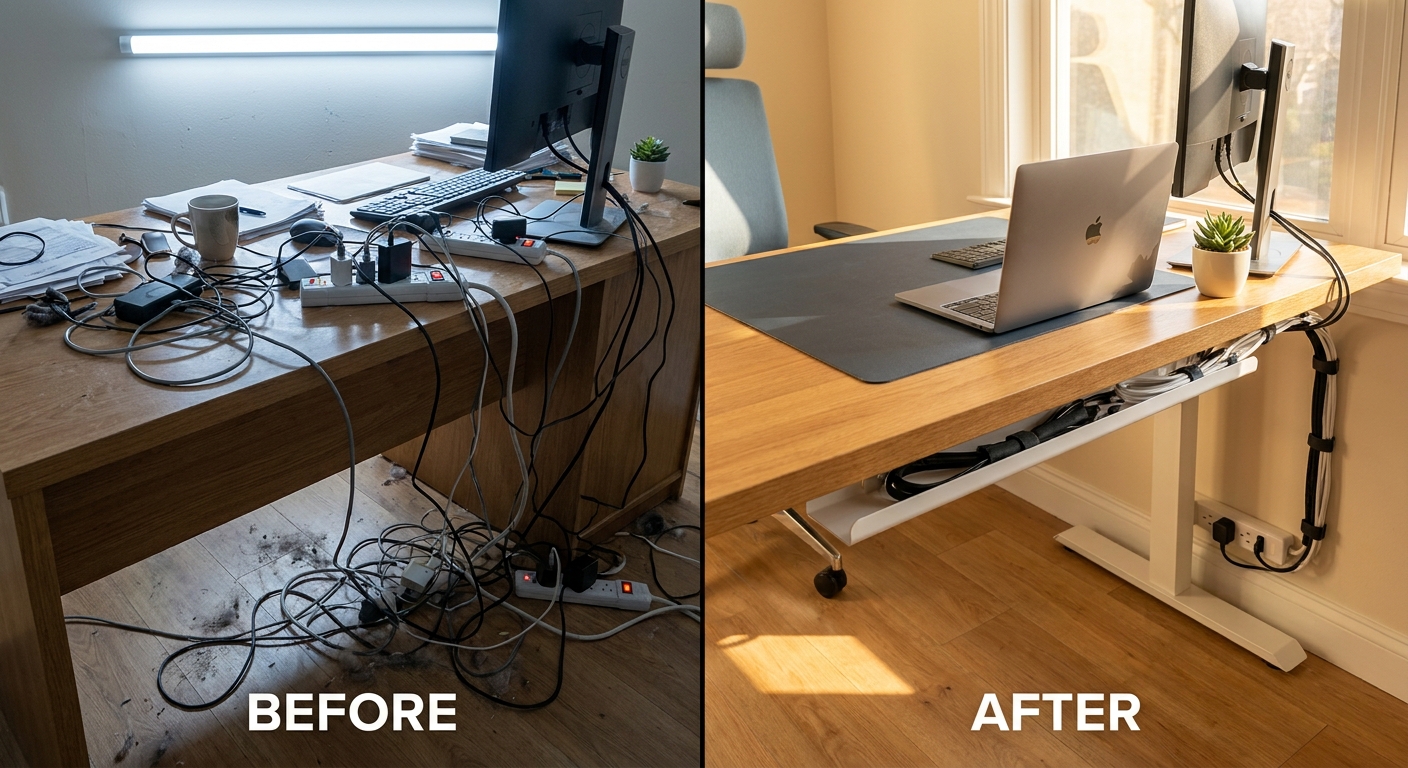
    You know the scene. One outlet. Three power bricks. Somebody’s phone at 4%, somebody else’s tablet dead, and a laptop charger hanging half out of the wall like it’s given up on life. It gets old fast. If you’ve been hunting for the best USB C GaN charging station deal today, this is the kind of practical buy that makes sense right away, not someday. A good 8-port GaN charging station can replace a whole pile of mismatched chargers, clear off your counter, and give every device a proper place to charge. That matters more than people think. It saves time, cuts clutter, and stops the nightly shuffle of unplugging one thing to rescue another. If this deal really does end at midnight, it is worth a look now, because these are the small home tech upgrades you notice immediately, especially in the kitchen, bedroom, and home office.

    ⚡ In a Hurry? Key Takeaways

    • This 8-port GaN charger is one of the best low-stress tech buys if your home has too many devices and not enough usable outlets.
    • Use it where charging chaos is worst first, usually a nightstand, kitchen counter, or shared desk.
    • Make sure it includes proper safety protections and enough wattage for laptops, not just phones, before you click buy.

    Why this deal matters more than another flashy sale

    Most big sale days try to push giant TVs, pricey laptops, and stuff you probably were not planning to buy this week. A charging station is different. It solves a problem you already have.

    That is why a heavily discounted 8-port GaN model stands out. It is not exciting in the way a new phone is exciting. It is better than that. It is useful tonight.

    If your household has a couple of phones, wireless earbuds, a tablet, maybe a smartwatch, and at least one USB-C laptop, one good charging hub can suddenly make the room feel more organized. No hunting. No swapping. No weird cable math at bedtime.

    And if you like practical buys, this fits nicely with the same thinking behind Forget Prime Day: 9 Under-$50 Tech + Home Upgrades Hiding in Today’s Early Deals. Small upgrades often do more for daily life than one giant impulse purchase.

    What GaN actually means, in normal human language

    GaN stands for gallium nitride. You do not need to memorize that. What matters is what it does.

    GaN chargers can be smaller, run more efficiently, and deliver higher power than many older charging bricks. So instead of having one chunky laptop charger, two phone chargers, and a random tablet brick fighting for space, you get one unit that can handle several devices at once.

    That means less bulk on the outlet and less heat wasted in the process. It also usually means a cleaner setup on your desk or dresser.

    Why 8 ports is the sweet spot for many homes

    Four ports is fine for one person. Maybe two. Eight starts to make sense for families, shared spaces, or anybody who has quietly collected a mountain of rechargeable gadgets.

    Think about what is charging on a normal evening:

    Phones. Earbuds. Smartwatch. Tablet. E-reader. Power bank. Laptop. Maybe a game controller. Suddenly 8 ports does not sound excessive at all.

    What to look for before you buy

    Not every multi-port charger is equally useful. The best USB C GaN charging station deal today is only a good deal if the specs match your real devices.

    Total wattage

    This is the big one. If you want to charge a laptop and several smaller gadgets at the same time, look for enough total output. Many better desktop charging stations start around 100W total, with stronger models going well beyond that.

    If your laptop needs 65W and the charger can only deliver 45W once all ports are in use, you may be disappointed. It will still charge, just more slowly, or not at full speed under load.

    USB-C versus USB-A mix

    USB-C is where things are headed. Phones, tablets, newer laptops, handheld game systems, and accessories are all moving there. A good station should lean heavily toward USB-C ports, even if it still includes a couple of USB-A ports for older cables.

    If you are future-proofing, more USB-C is better.

    Smart power distribution

    Many chargers split power differently depending on how many devices are plugged in. That is normal. The key is that the station handles that split well and clearly explains it.

    If the listing has a simple chart showing which ports get what power, that is a good sign.

    Safety features

    Look for over-voltage, over-current, temperature, and short-circuit protection. Good brands usually spell this out. Cheap no-name chargers sometimes hide behind vague promises.

    This is one area where a few extra dollars can be worth it.

    Where an 8-port charging station helps the most

    Kitchen counter

    This is often the unofficial family charging zone. It is also where cable clutter becomes decor if nobody stops it. One charging station can replace the pile of adapters near the fruit bowl.

    Nightstand

    A shared nightstand gets crowded fast. Two phones, a watch, earbuds, maybe a Kindle. A compact desktop charger can tidy that up in one move.

    Home office

    This is probably the smartest place to start. Your work laptop, phone, headset, mouse, battery pack, and tablet all need power. One station keeps everything in reach without eating every outlet on the power strip.

    Will it really cut clutter and power waste?

    Yes, in a very real everyday way.

    Replacing a pile of old charging bricks with one efficient charging station means fewer things plugged in all the time. That can reduce standby draw, simplify cable management, and make the whole setup easier to live with.

    No, it will not slash your electric bill overnight. But it is still a smarter, cleaner setup, and that counts.

    Who should buy this, and who can skip it

    This is a smart buy if:

    You have multiple devices charging every day.

    You share charging space with a partner, kids, roommates, or coworkers.

    You are tired of outlet traffic jams.

    You have started buying more USB-C gadgets and want one hub that can grow with them.

    You can skip it if:

    You only charge one phone and maybe a watch.

    You already own a good high-wattage multi-port charger.

    You need built-in AC outlets more than USB ports, in which case a surge protector with USB may fit better.

    At a Glance: Comparison

    Feature/Aspect Details Verdict
    Port count 8 ports can cover phones, tablets, earbuds, watches, and often a laptop or two depending on wattage Great for shared spaces and families
    GaN efficiency Smaller, more efficient design than many older charging bricks, with less clutter at the outlet A real everyday upgrade
    Best use case Kitchen counters, nightstands, and home offices with lots of USB-C gear High value if you are tired of charger chaos

    Conclusion

    A discounted 8-port GaN charging station is one of those rare tech buys that pays off immediately. It is not flashy, but it fixes a problem nearly every home has. It clears the cable mess, gives everyone a spot to charge, and helps you get ready for the steady move to USB-C without filling every outlet with old bricks. On a day when so many deals are trying to sell you something huge, this is the kind of low-risk, high-impact upgrade that earns its place fast. If the price drops really do end at midnight, this may be the moment to stop fighting over outlets and make charging feel simple again.